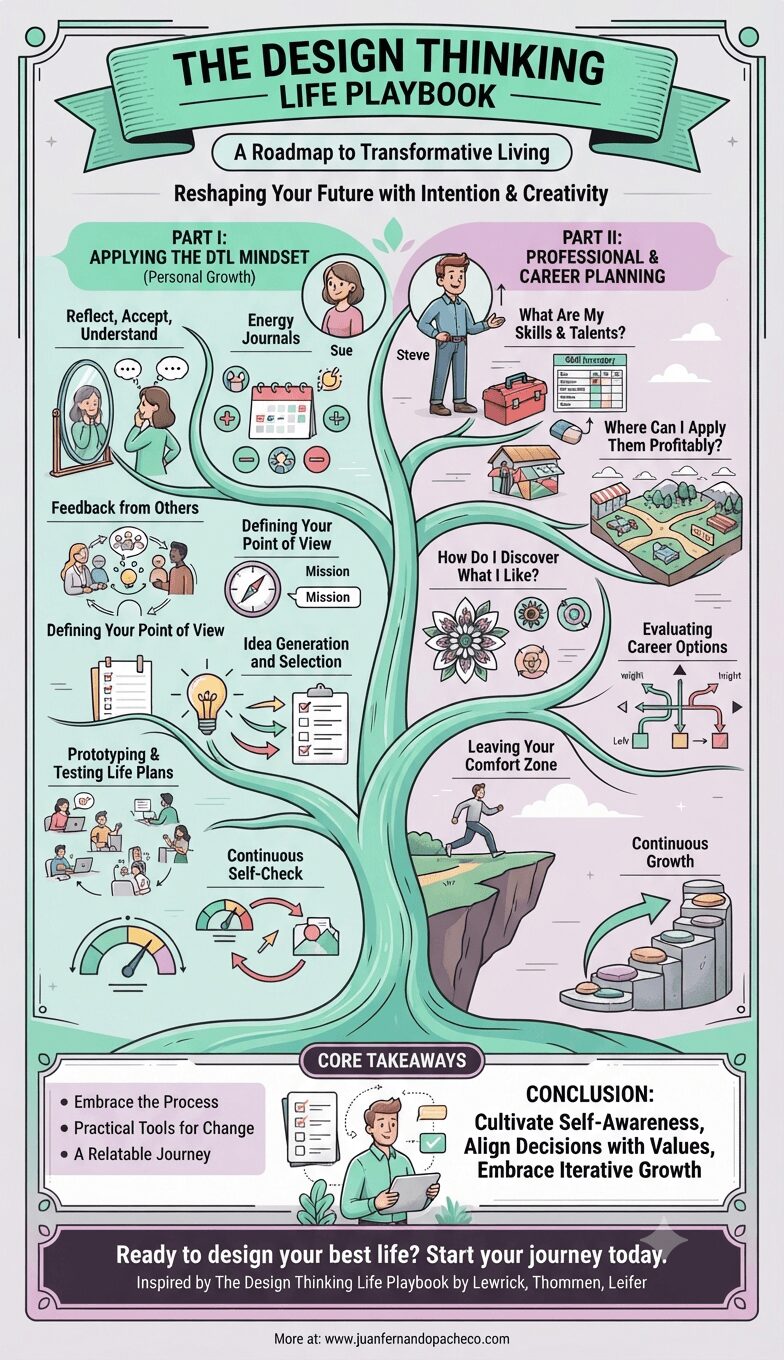
An infographic titled "The Design Thinking Life Playbook" presented as a branching tree diagram. The left side, "Applying the DTL Mindset," shows a character named Sue using methods like energy journals and prototyping life plans. The right side, "Professional and Career Planning," shows a character named Steve evaluating options and seeking growth. The base lists "Core Takeaways" and the URL www.juanfernandopacheco.com.

Navigating personal and professional transitions can feel overwhelming. The Design Thinking Life Playbook by Michael Lewrick, Jean-Paul Thommen, and Larry Leifer offers a groundbreaking guide to managing these shifts.

Rooted in design thinking principles, the book provides actionable strategies to reshape your future with intention and creativity. This blog post delves into the essence of the book, exploring its methodologies, insights, and transformative potential.
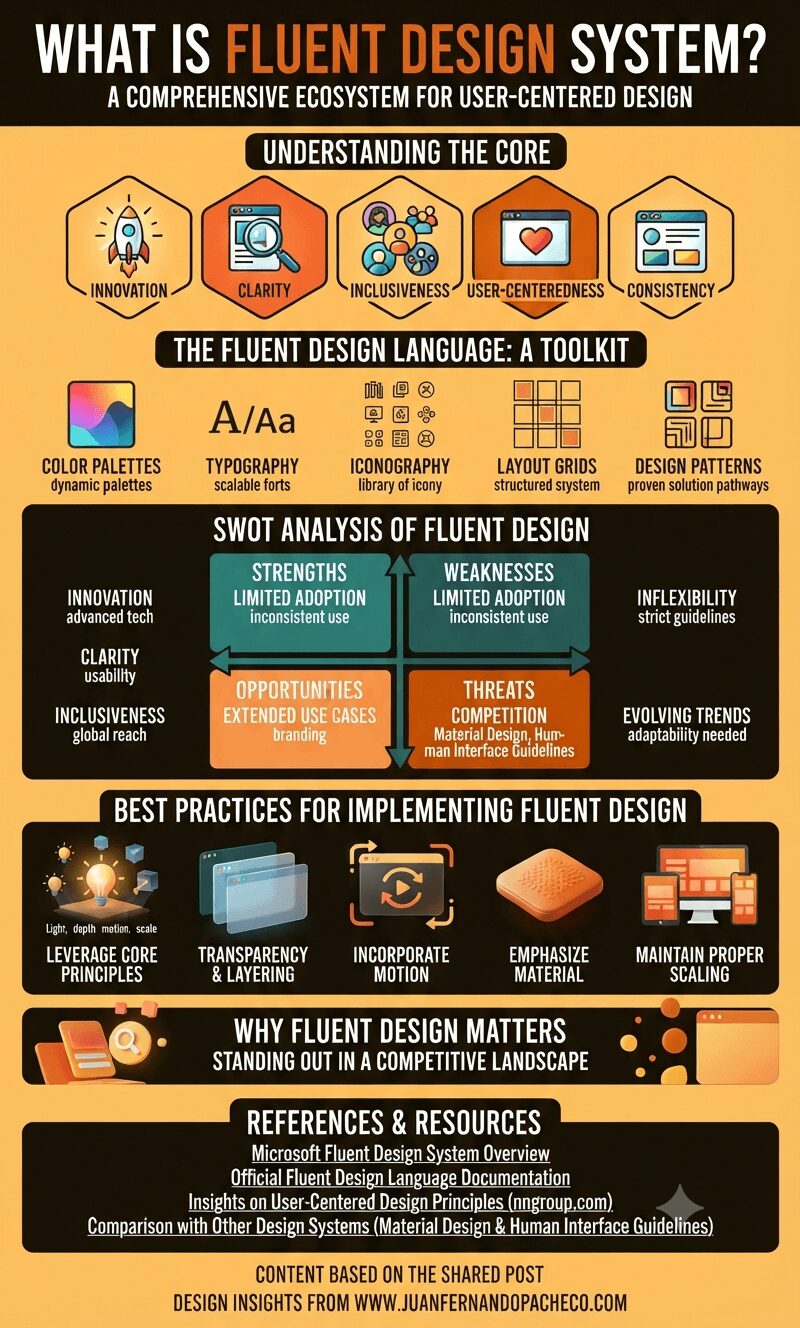
An infographic titled "What Is Fluent Design System?" featuring sections on its core principles, design toolkit, SWOT analysis, and best practices, all using a warm, orange-to-brown color palette.

Fluent Design is more than just a design system—it is a philosophy that prioritizes user satisfaction through innovation, inclusivity, and consistency. By creating interfaces that are both functional and aesthetically pleasing, Fluent Design helps Microsoft stand out in a competitive digital landscape.

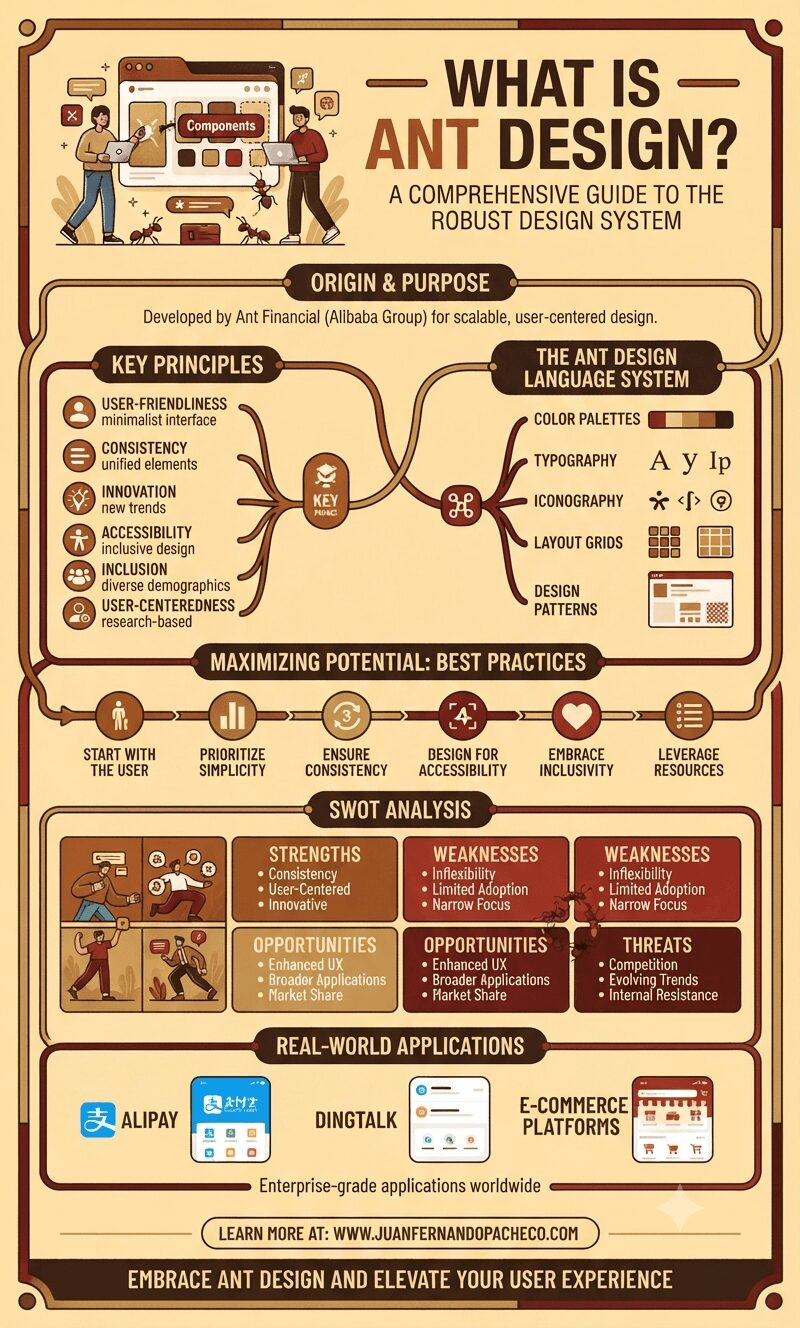
An infographic titled "What is Ant Design?" presented in a warm, vintage-inspired color palette of creams and browns. The infographic uses a flow-chart and diagram style to explain the design system, starting with its origin from Ant Financial. It covers Key Principles, The Ant Design Language System, Best Practices, a SWOT Analysis with illustrated sections, Real-World Applications like Alipay and DingTalk, and concludes with links to learn more at juanfernandopacheco.com.

Ant Design, is a robust design system developed by Ant Financial, a subsidiary of the Alibaba Group. The design system has rapidly gained traction among designers and developers for its ability to simplify the design process while ensuring superior user experiences.

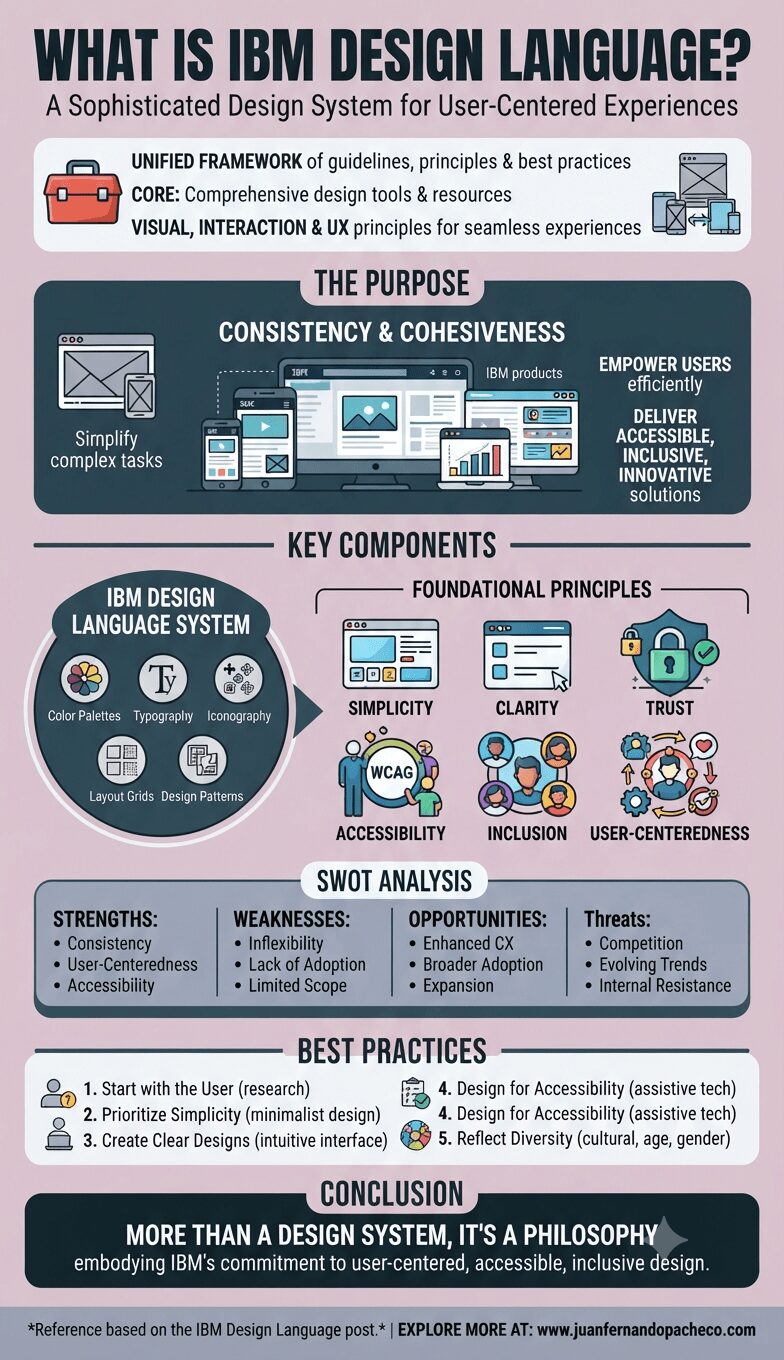
Infographic titled "WHAT IS IBM DESIGN LANGUAGE?" summarizing the design system's purpose, key components (system and principles), SWOT analysis, best practices, and conclusion.

IBM Design Language is more than just a design system; it’s a philosophy that embodies IBM’s commitment to user-centered, accessible, and inclusive design. By adhering to its principles, IBM delivers consistent and reliable experiences that resonate with its global audience. Whether you’re a designer, developer, or stakeholder, embracing IBM Design Language can transform the way you create and innovate.

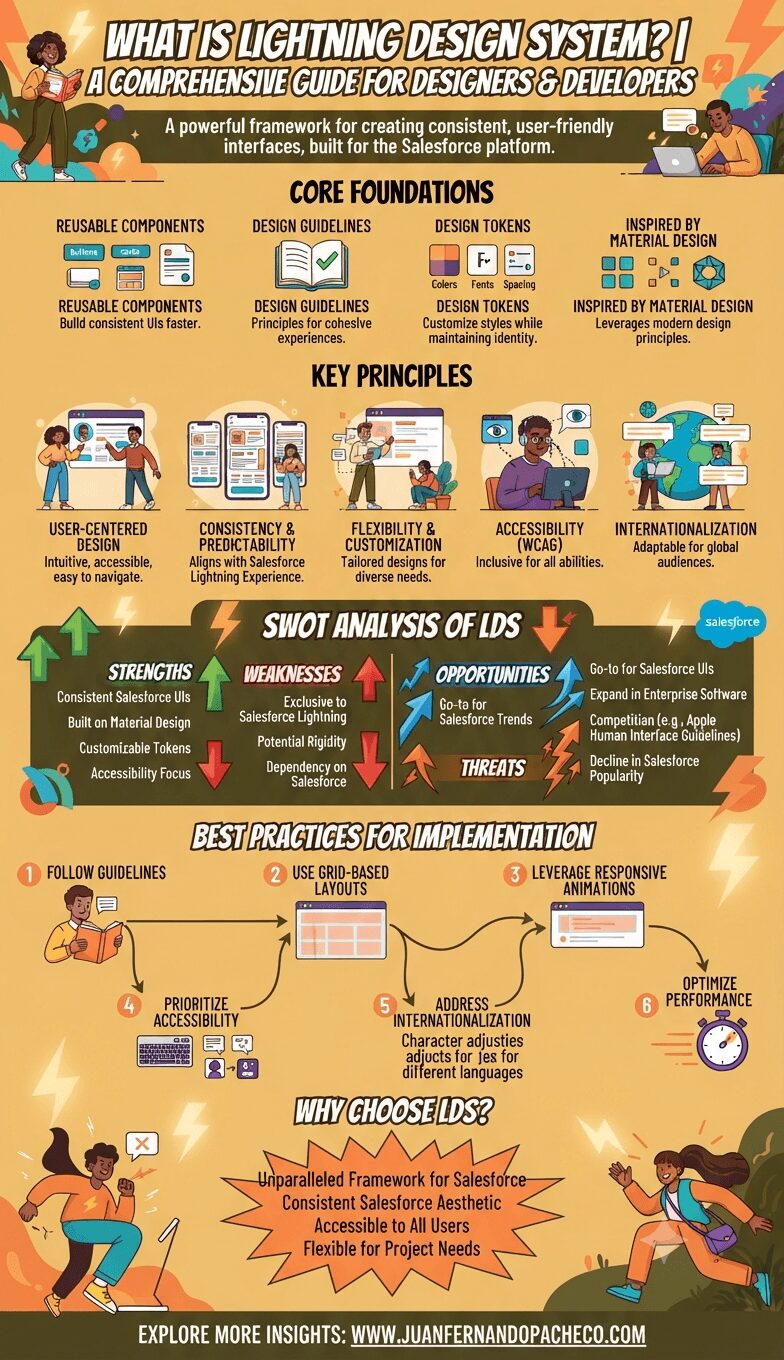
A detailed vertical infographic titled "WHAT IS LIGHTNING DESIGN SYSTEM? A COMPREHENSIVE GUIDE," presented in a warm orange and yellow color scheme. It is segmented into five clear sections: "CORE FOUNDATIONS" (reusable components, design guidelines), "KEY PRINCIPLES" (user-centered, accessibility, internationalization), "SWOT ANALYSIS OF LDS" (strengths, weaknesses, opportunities, threats), "BEST PRACTICES FOR IMPLEMENTATION" (a six-step process from guidelines to performance), and "WHY CHOOSE LDS?". The infographic features illustrated characters, UI mockups, icons, and diagrams, concluding with the reference "WWW.JUANFERNANDOPACHECO.COM."

The Lightning Design System (LDS) is a robust collection of design guidelines, principles, and reusable components designed to ensure consistency within the Salesforce Lightning Experience. By using LDS, designers and developers can create user interfaces (UIs) that are visually cohesive, accessible, and easy to customize.

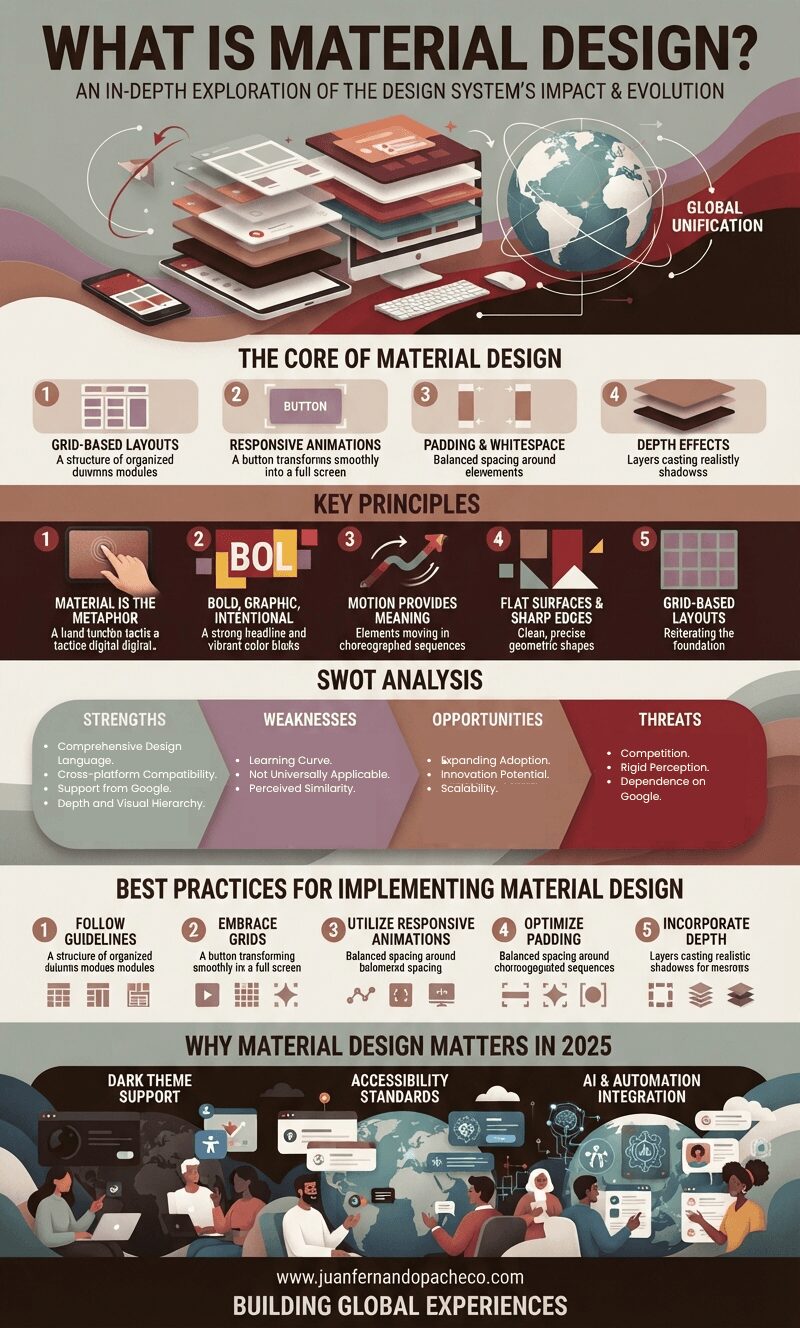
A comprehensive vertical infographic titled "WHAT IS MATERIAL DESIGN?" composed of stacked, layered digital devices and a globe. It breaks down the design system into sections: Core Principles (Grid, Animation, Padding, Depth), Key Principles (Metaphor, Bold Design, Motion, Flat Surfaces, Grid), a SWOT Analysis (Strengths, Weaknesses, Opportunities, Threats), Best Practices (Guidelines, Grids, Animation, Padding, Depth), and future relevance in 2025 (Dark Theme, Accessibility, AI Integration). The footer includes the URL www.juanfernandopacheco.com and the tagline "BUILDING GLOBAL EXPERIENCES."

Material Design’s comprehensive approach revolutionized digital interfaces. Its guiding principles of realism, bold design, intuitive motion, and structured layouts provide a robust framework for creating user-friendly and visually stunning applications. Whether you’re a seasoned designer or a developer exploring UI/UX design, understanding and implementing Material Design principles can elevate your projects.

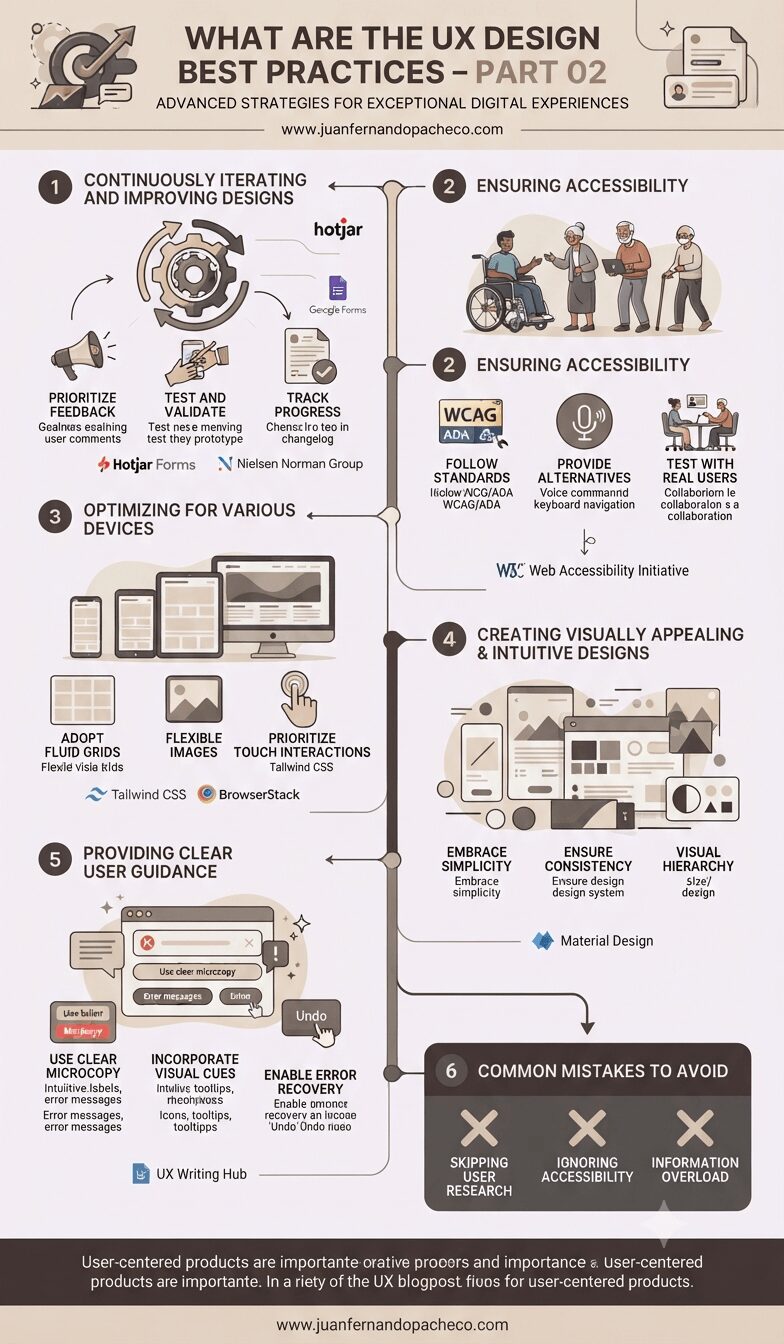
An infographic titled "WHAT ARE THE UX DESIGN BEST PRACTICES – PART 02" from www.juanfernandopacheco.com, presented in a vertical timeline format against a muted, professional background. It details six strategic steps: 1. Iterating based on feedback (with Hotjar and Nielsen Norman Group resources); 2. Ensuring accessibility (following WCAG/ADA standards and including a diverse group of users); 3. Optimizing for various devices (using fluid grids and tools like Tailwind CSS and BrowserStack); 4. Creating visually appealing designs (referencing Material Design and visual hierarchy); 5. Providing clear guidance (including microcopy and error recovery); and 6. Avoiding common mistakes (skipping research, ignoring accessibility, and information overload).

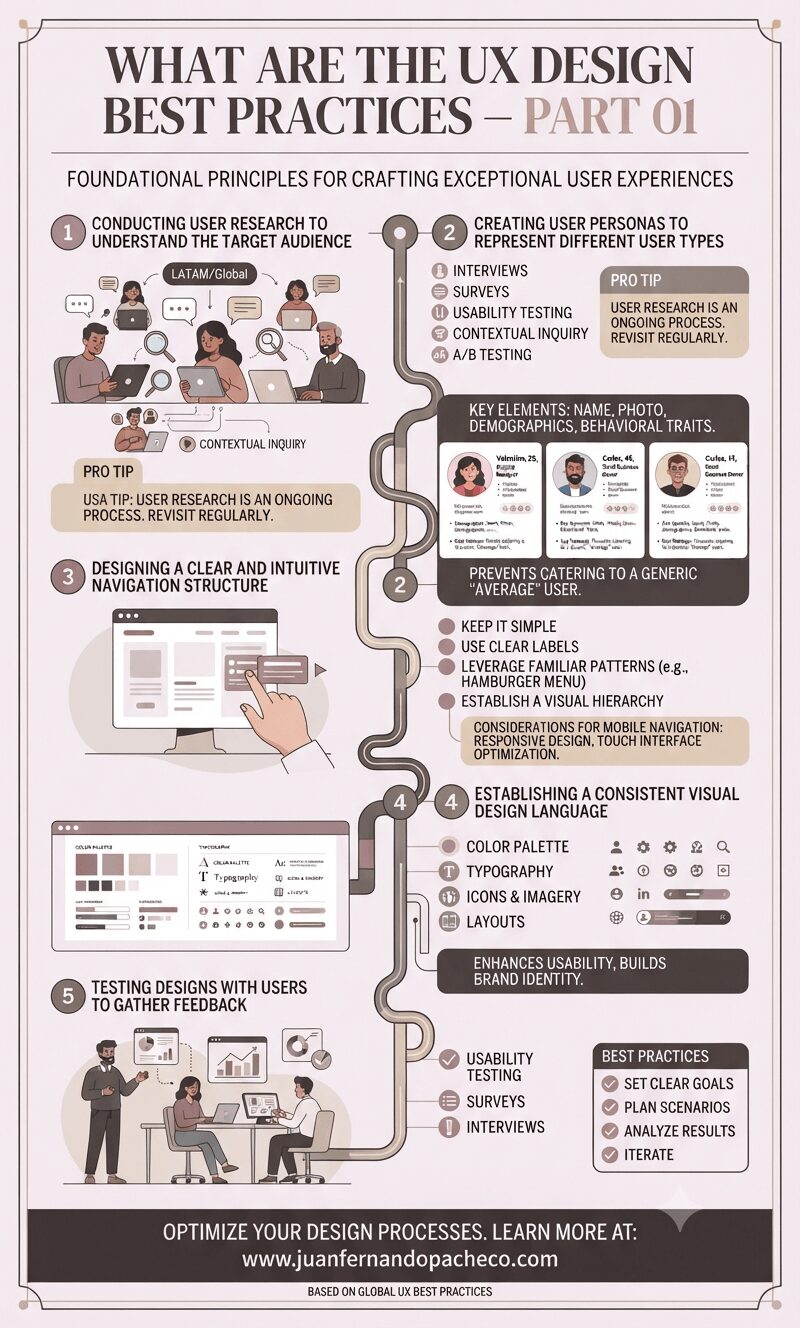
Adhering to UX design best practices ensures the creation of intuitive, inclusive, and visually compelling digital experiences. By embracing continuous iteration, prioritizing accessibility, optimizing for diverse devices, crafting intuitive designs, and providing clear guidance, designers can deliver products that delight users and drive engagement.

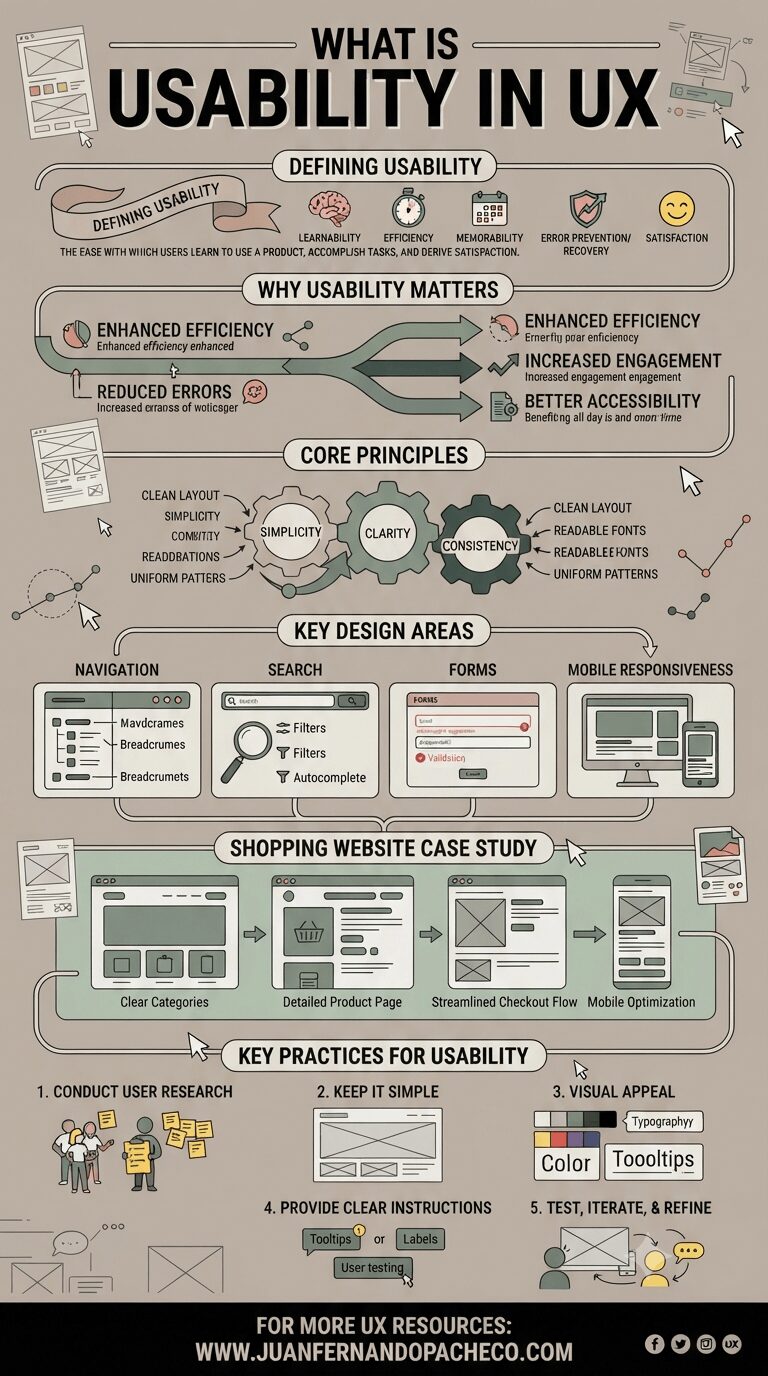
A detailed vertical infographic titled "WHAT IS USABILITY IN UX" illustrating the definition, importance, principles, key areas, and best practices of usability. It uses a muted color palette of beige, green, and dark gray against a light background, featuring icons, wireframes, and a shopping website case study.

Usability is the backbone of exceptional UX design, ensuring products are intuitive, efficient, and satisfying to use.

By focusing on simplicity, clarity, and consistency, and addressing critical areas like navigation, forms, and mobile responsiveness, designers can craft experiences that delight users.